OpenAI API validator
Validate the API before debugging your app.
Check whether an OpenAI API key, relay key, or compatible endpoint can make the basic requests a real app needs: models, chat completions, streaming, and response shape.
Know whether the endpoint works at all
The validator separates connection and compatibility problems from app bugs, so you can tell whether the issue is your code, your key, or the provider endpoint.
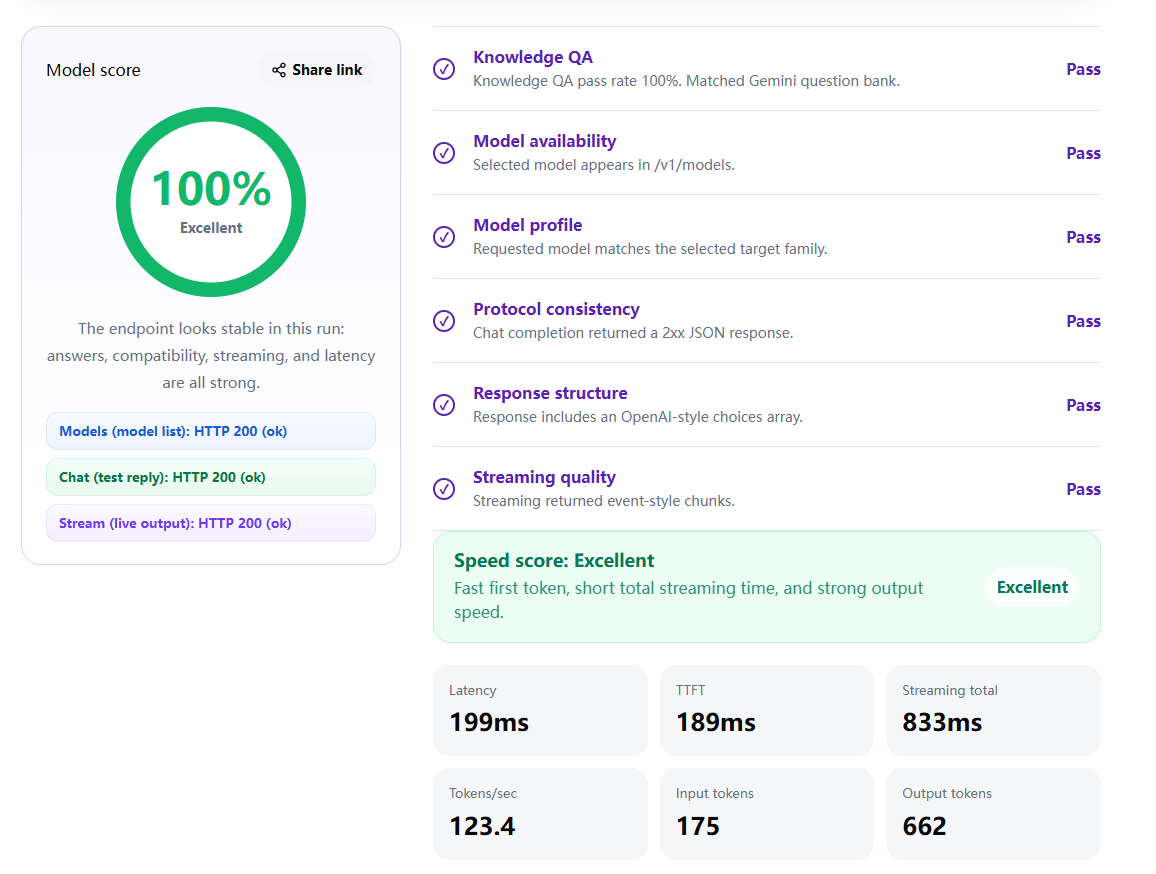
What It Validates
The validator checks authorization, GET /v1/models, POST /v1/chat/completions, streaming chat completions, and whether the responses look like normal OpenAI-style payloads.
Who Should Use It
It is useful for developers testing a new key, users trying an AI relay, and teams checking whether an API gateway is ready to connect to a chat app, agent workflow, or internal tool.
Validator vs Latency Test
An API validator answers "does it work?" A latency test answers "does it feel fast?" A key can validate successfully while the endpoint still feels slow, so both checks matter before trusting a provider.
FAQ
Why did my API validation fail?
The most common causes are a wrong base URL, an invalid key, an unsupported model, or a relay that does not fully match OpenAI's API shape.
Does this validate billing or account status?
No. It only sends test requests. Billing limits, account status, and provider-specific rules must still be checked in the provider dashboard.
Can it validate proxy endpoints?
Yes, as long as the proxy exposes OpenAI-style /v1/models and /v1/chat/completions endpoints.
Is my API key stored?
No. The tool uses the key for the live request and does not save it.
Start with validation, then test quality.
Confirm the API works before checking latency, streaming, and output speed.